How to Reset Nespresso Machine (Factory Reset Guide)
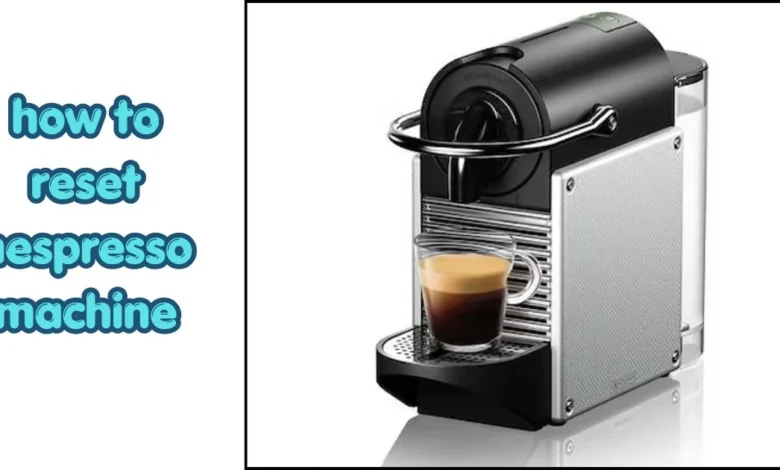
The reset process is different for Vertuo and Original models, so make sure you follow the correct steps for your machine.. Learning how to reset Nespresso machine settings only takes a few minutes and can restore the original factory settings. This guide explains how to reset Vertuo and Original models step by step and what to do if the reset doesn’t solve the issue.
Why You May Need to Reset Your Nespresso Machine
Before resetting your machine, it’s helpful to understand why a factory reset may be needed.
[Note: If your machine is new and you haven’t set it up yet, first learn the basics in our expert guide on how to use Nespresso machine to avoid common errors.]
A factory reset can solve several common problems, including blinking lights, incorrect coffee sizes, unresponsive buttons, or settings that were changed by mistake. It is also useful after a power interruption or software issue.
Before You Reset Your Nespresso Machine
- Remove any used capsule.
- Fill the water tank halfway.
- Plug the machine into a power outlet.
- Turn the machine off before starting the reset.
- Unlock the machine if you are using a Vertuo model.
How to Reset Vertuo
Step 1
Remove used capsule.
Step 2
Close machine.
Step 3
Leave unlocked.
Step 4
Press button 5 times.
Step 5
Wait for the orange light to flash, confirming the reset.
How to Reset Original Line Models
Step 1: Turn off the machine.
Step 2: Press and hold the Lungo button.
Step 3: Turn the machine back on while holding the button.
Step 4: Wait until the light blinks three times.
Step 5: Release the button. Your machine has been reset.
What to Do If Reset Doesn’t Work
Sometimes, even after you successfully learn how to reset Nespresso machine logic, the blinking lights may persist, indicating a deeper hardware or maintenance issue. If the reset doesn’t work, it is likely that your machine has entered a “Descaling Alert” mode, which requires a physical cleaning cycle rather than just a software reboot. Check the machine for coffee residue or limescale buildup and run a descaling cycle if needed.
If the machine still doesn’t work after resetting, try running a descaling cycle and make sure there isn’t any coffee residue blocking the machine. If the problem continues, contact Nespresso Support because it could be a hardware issue.
| Model | Reset Method | Time |
|---|---|---|
| Vertuo Next | Press button 5 times | 30 sec |
| Vertuo Pop | Press button 5 times | 30 sec |
| Essenza Mini | Hold Lungo button | 20 sec |
| Pixie | Hold Lungo button | 20 sec |
| CitiZ | Hold Lungo button | 20 sec |
Common Reset Problems
| Problem | Solution |
|---|---|
| Machine still blinking | Run a descaling cycle |
| Machine won’t turn on | Check the power cable |
| Reset not working | Repeat the reset steps |
| Wrong coffee size | Perform a factory reset again |
My Experience
I have reset Nespresso machines after problems like blinking lights and incorrect coffee sizes. In most cases, a factory reset fixed the issue within a few minutes. If the problem remained, running a descaling cycle usually solved it.
Quick Tips
- Reset takes less than 1 minute.
- Factory reset removes custom coffee sizes.
- Reset does not replace descaling.
- Follow the correct steps for your Nespresso model.
- Run a descaling cycle if blinking lights continue
(FAQ’s)
Will a factory reset fix a blinking orange light?
Yes, a factory reset clears the internal software glitches and error codes that typically trigger the blinking orange warning light.
Can a reset fix a Nespresso machine that won’t brew?
A reset can fix brewing issues caused by software or volume calibration errors, but it cannot repair physical blockages or mechanical pump failures.
How do I know if my Nespresso reset was successful?
A successful reset is confirmed when the machine’s main button flashes a specific pattern, usually blinking three to five times in rapid succession.
Does resetting my Nespresso machine void the warranty?
No, resetting your machine is an officially recommended troubleshooting step and has no negative impact on your manufacturer’s warranty status.
How long does a factory reset take?
Usually less than one minute.
Will resetting delete custom coffee sizes?
Yes, all custom settings return to factory defaults.
Conclusion
A factory reset is one of the easiest ways to fix common Nespresso machine problems, including blinking lights and incorrect coffee sizes. Follow the correct reset method for your model and run a descaling cycle if the problem continues. With regular cleaning and maintenance, your Nespresso machine can continue making great coffee for years.If the reset doesn’t solve the problem, contact Nespresso Support or check your machine’s user manual for further troubleshooting.
Flash Topic