How to Charge Apple Watch Without Charger: Proven Solutions for Any Situation
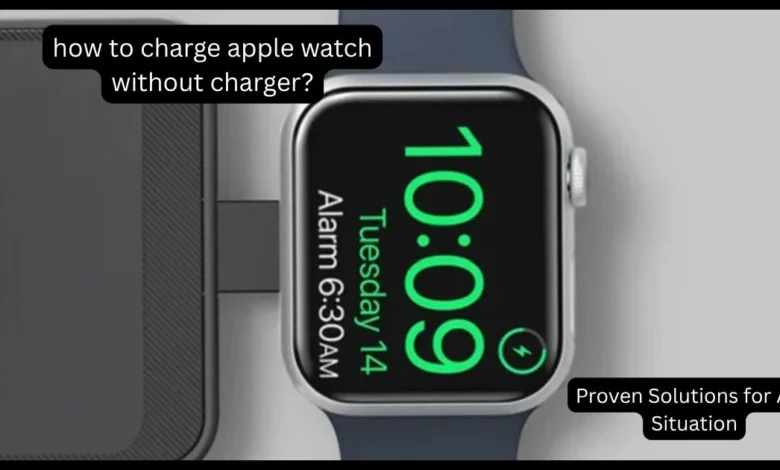
Losing your official magnetic cable can be a frustrating experience, especially when your device is about to die, but learning how to charge Apple Watch without charger is easier than you might think. While the Apple Watch lacks a traditional charging port like an iPhone, its reliance on magnetic induction means you need specific hardware to transfer power safely.
Many users mistakenly believe they can use any wireless pad or the back of their phone, but the proprietary nature of the device requires a more targeted approach. By exploring specialized accessories like magnetic pucks or reverse-wired charging, you can keep your wearable powered up without needing the original white cable. This guide provides the most reliable methods to ensure your watch remains functional even when your primary charging equipment is missing or broken.
Why You Need Alternatives to the Standard Cable
The primary reason people search for how to charge Apple Watch without charger is the unique design of the device which utilizes a specialized induction coil. Unlike modern smartphones that often support universal Qi wireless charging, the Apple Watch requires a specific frequency and magnetic alignment to initiate a power transfer. Attempting to use a standard wireless charging mat usually results in the device getting hot without actually gaining any battery percentage. Understanding these technical limitations is crucial before you invest in third-party accessories that claim to be universal but fail to work. Most users find that having a secondary, more portable solution is the best way to avoid the panic of a dead battery during travel or long workdays.
The Myth of Reverse Wireless Charging
A common question regarding how to charge Apple Watch without charger is whether it can be done by placing the watch on the back of an iPhone. While some Android phones support reverse wireless charging for their respective watches, Apple has not yet enabled this feature for the Apple Watch due to coil size differences. Even if the iPhone 15 or 16 has the hardware, the software currently prevents this specific interaction from happening wirelessly. You must rely on a physical connection through the USB-C port of the phone to bridge the power gap effectively. Relying on myths can lead to hardware damage, so it is always better to stick to verified magnetic induction methods that follow Apple’s power standards.
Top 3 Methods to Charge Your Watch in an Emergency
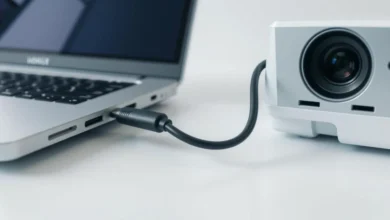
The most effective way to address how to charge Apple Watch without charger is to use a USB-C magnetic charging dock or “puck.” These tiny, coin-sized devices plug directly into the USB-C port of a MacBook, iPad, or even a wall brick, eliminating the need for a long, tangled cable. They are MFi-certified and provide the same magnetic grip as the original cable, making them the perfect travel companion for your keychain. Many tech enthusiasts prefer these docks because they are incredibly durable and fit into a pocket easily. If you have access to any modern Apple device with a USB-C port, these docks are the fastest way to get back to 100% battery.
Using Your iPhone 15 or 16 as a Power Bank
If you have the magnetic cable but no wall outlet, you can solve how to charge Apple Watch without charger by utilizing your iPhone’s battery. Simply plug the USB-C end of your Apple Watch cable into the bottom of an iPhone 15 or later model, and the phone will automatically begin sharing its power. This “reverse wired charging” feature is a lifesaver when you are outdoors or on a plane without access to a traditional power socket. It is important to monitor your phone’s battery level, as this process will drain the iPhone to prioritize the watch. This method proves that you don’t always need a wall adapter to keep your wearable ecosystem running smoothly.
Portable Power Banks with Built-in Docks
Another professional solution for how to charge Apple Watch without charger involves purchasing a power bank that features an integrated magnetic module. Companies like Anker and Belkin offer portable chargers that allow you to place your watch directly onto the battery surface without any extra wires. These devices are specifically designed for the Apple Watch’s induction requirements and often provide multiple full charges on a single cycle. This is the ultimate “no charger” solution because it combines the power source and the charging interface into one sleek, wireless unit. Having one of these in your backpack ensures that you are never tethered to a wall or a bulky proprietary cable again.
Comparing Emergency Charging Solutions
| Method | Portability | Charging Speed | Equipment Needed |
|---|---|---|---|
| USB-C Magnetic Puck | High (Pocket) | Fast | USB-C Port (Laptop/iPad) |
| iPhone Reverse Wired | High | Medium | USB-C Cable + iPhone 15+ |
| Watch Power Bank | Medium | Fast | Built-in Magnetic Battery |
| 3-in-1 Station | Low (Desk) | Very Fast | Multi-device Stand |
| Public Store Table | None | Fast | Access to Apple Store |
Battery Saving Tips While Searching for Power
When you are stuck wondering how to charge Apple Watch without charger, your first priority should be extending the remaining life of your battery. Activating “Low Power Mode” by swiping up to the Control Center and tapping the battery percentage is the most effective way to stay online. This mode disables the Always-On display and limits background heart rate sensors to conserve every possible milliampere of energy. You should also turn off “Wake on Wrist Raise” to prevent the screen from lighting up unnecessarily while you look for a charging solution. By being proactive with your settings, you can keep the watch alive for several extra hours until you find a compatible magnetic dock.
(FAQ’s)
Q1: Can I charge my Apple Watch with a regular wireless pad?
Ans: No, the Apple Watch requires a proprietary magnetic induction coil that is incompatible with standard Qi wireless charging pads.
Q2: Does the iPhone 15 support reverse wireless charging for Apple Watch?
Ans: No, the iPhone 15 only supports charging an Apple Watch via a physical USB-C cable connection, not wirelessly through the back.
Q3: Is there a hidden port to charge Apple Watch without a magnetic cable?
Ans: No, the hidden diagnostic port found on some models is strictly for factory software testing and cannot provide a charge.
Q4: Is it safe to use third-party magnetic chargers for Apple Watch?
Ans: Yes, provided the charger is MFi-certified (Made for iPhone/Watch) to ensure it meets Apple’s safety and battery health standards.
Q5: Can I charge my Apple Watch directly from a MacBook or iPad?
Ans: Yes, you can plug your magnetic cable or a portable USB-C puck into any MacBook or iPad port for a reliable power boost.
Conclusion
Finding a way how to charge Apple Watch without charger requires moving away from traditional cables and embracing the world of magnetic induction accessories. Whether you opt for a compact USB-C magnetic puck, a specialized power bank, or the reverse-charging capabilities of a modern iPhone, there is always a way to stay connected.
While you cannot simply plug a wire into the watch, the variety of third-party MFi-certified docks makes the original cable almost optional for modern users. Always ensure your backup solutions are high-quality to protect your device’s long-term battery health. Investing in a portable, cable-free dock today is the best way to ensure you never face a dead Apple Watch screen again.
Stop worrying about a dead battery today by choosing one of these smart methods on how to charge apple watch without charger and stay connected wherever you go.